
Settings
Settings is where you change how iNiR looks and behaves. Every option is in there, so you never need to edit a file.
Open Settings
Section titled “Open Settings”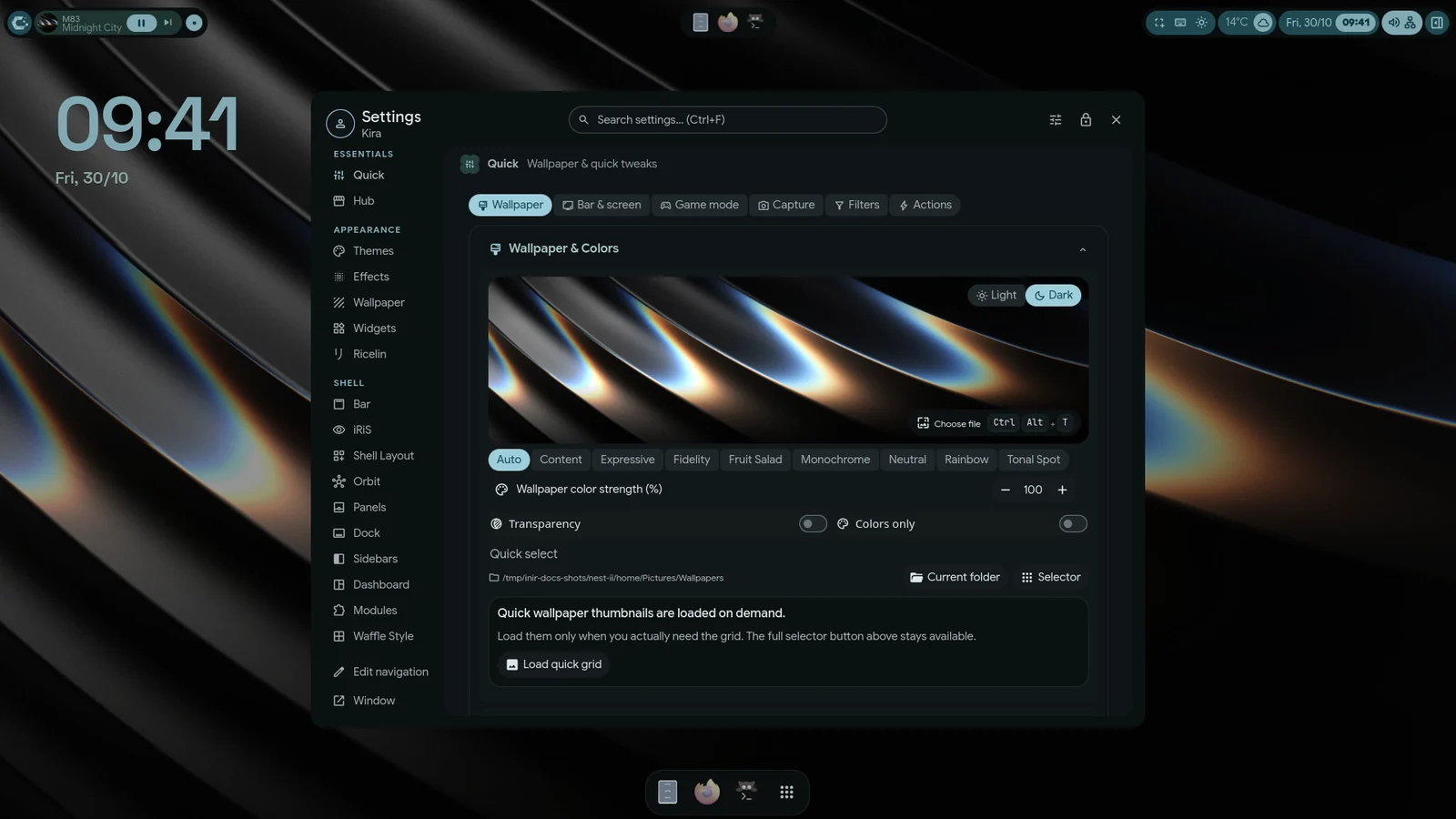
- Super+, opens Settings in any family.
- Material: Settings opens over the desktop as a layer, or as its own window. Pick one under Settings›Modules›Settings UI›Overlay mode (live preview).
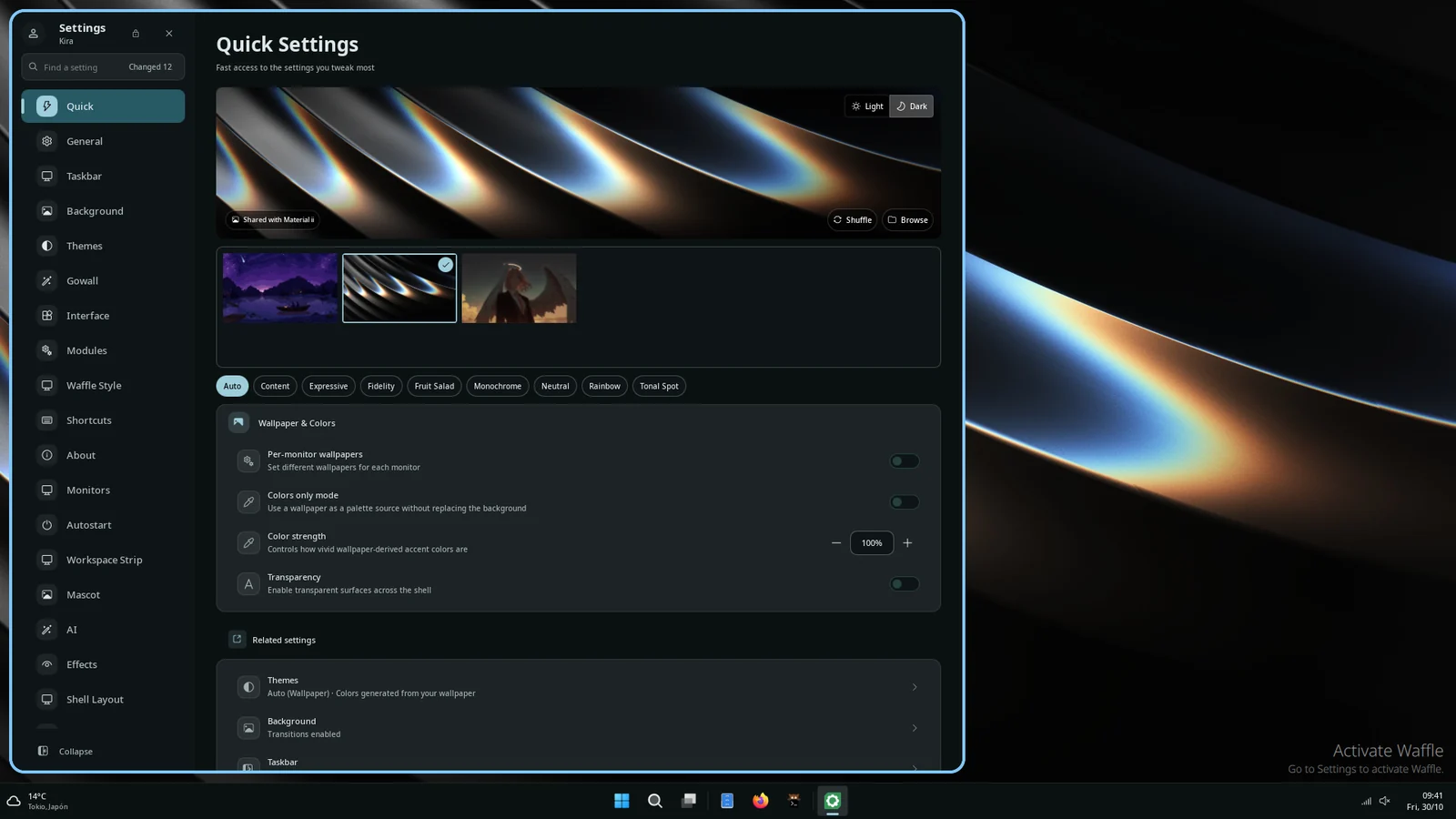
- Waffle: Waffle Settings is always its own window.
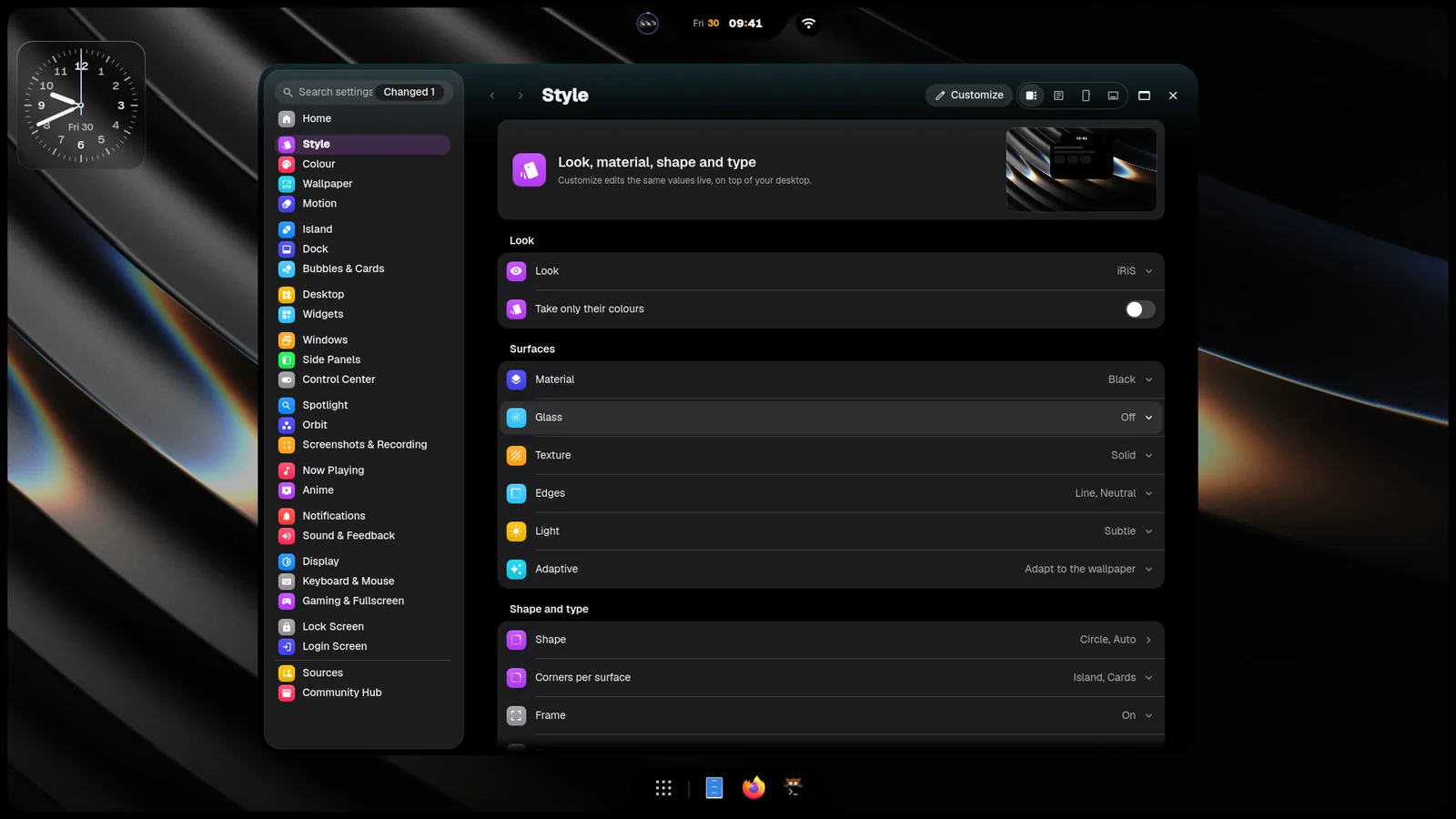
- iRiS: Settings opens over the desktop, or as a window. Pick one under iRiS Settings›Home›Settings window›Opens as.
How pages are organised
Section titled “How pages are organised”Material groups its pages in the sidebar as Essentials, Appearance, Shell, System and Reference. Pages include Quick, Bar, Wallpaper, Themes, Panels, Dock, Sidebars, Modules and iRiS.
- To reorder the sidebar or hide pages, use Edit navigation in the Settings header, or the Arrange page.
- Hidden pages stay in search.
- Modules › Settings UI › Overlay layout changes how the overlay looks: Nav rail, Focus, Unified or Editorial.
Waffle lists its pages on the left: Quick, General, Taskbar, Background, Themes, Interface, Modules, Waffle Style, Shortcuts, About and more. Ctrl+PageDown and Ctrl+PageUp move to the next and previous page, and Ctrl+Tab does the same.
iRiS lists its areas in the sidebar. See iRiS for the list. Alt+Left and Alt+Right go back and forward, and Ctrl+Up and Ctrl+Down move between areas.
Search
Section titled “Search”Press Ctrl+F in any family and type. Search matches option names, descriptions and keywords, and shows where each option lives.
Easy and Advanced mode
Section titled “Easy and Advanced mode”Material has two modes. Advanced shows every page and option, and it is the default. Easy shows only the essential pages and sections. Switch between them with the button in the Settings header, or with Settings›Modules›Settings UI›Easy mode (essentials only).
Waffle and iRiS do not have Easy mode.
Where settings are saved
Section titled “Where settings are saved”Everything is stored in one file, ~/.config/inir/config.json. Settings writes it for you, so nobody needs to touch it.
The file only holds what you changed; anything it doesn’t say comes from the shell’s defaults. It has two kinds of sections:
- Shell sections hold what every family shares:
weather,ytmusic,apps(your pinned apps live inapps.pinned),notifications,lock,idle,background, colours and fonts underappearance, and so on. Change one and every family follows. - One section per family holds only how that family looks:
material(bar, sidebars, dock, control panel, dashboard and the global style undermaterial.style),wafflesandiris. A family never reads another family’s section, so tuning Material’s bar can’t move anything in iRiS. - Taking from another family is a visible switch. Material’s global style (Aurora, Angel, Zzz… and its
transparency) reaches the shared screens only under Material, and under Waffle while Take style from Material
(
waffles.theming.styleFromMaterial) is on. Each family declares it in itsplugin.json(settings.globalStyle, withwhennaming the switch); under iRiS, or Waffle with the switch off, the shared screens use plain defaults.
Older files (from before this split, with bar, sidebar, dock or material.style.globalStyle at the top) are
moved into place the first time the shell starts. Your values come along; nothing to do by hand.