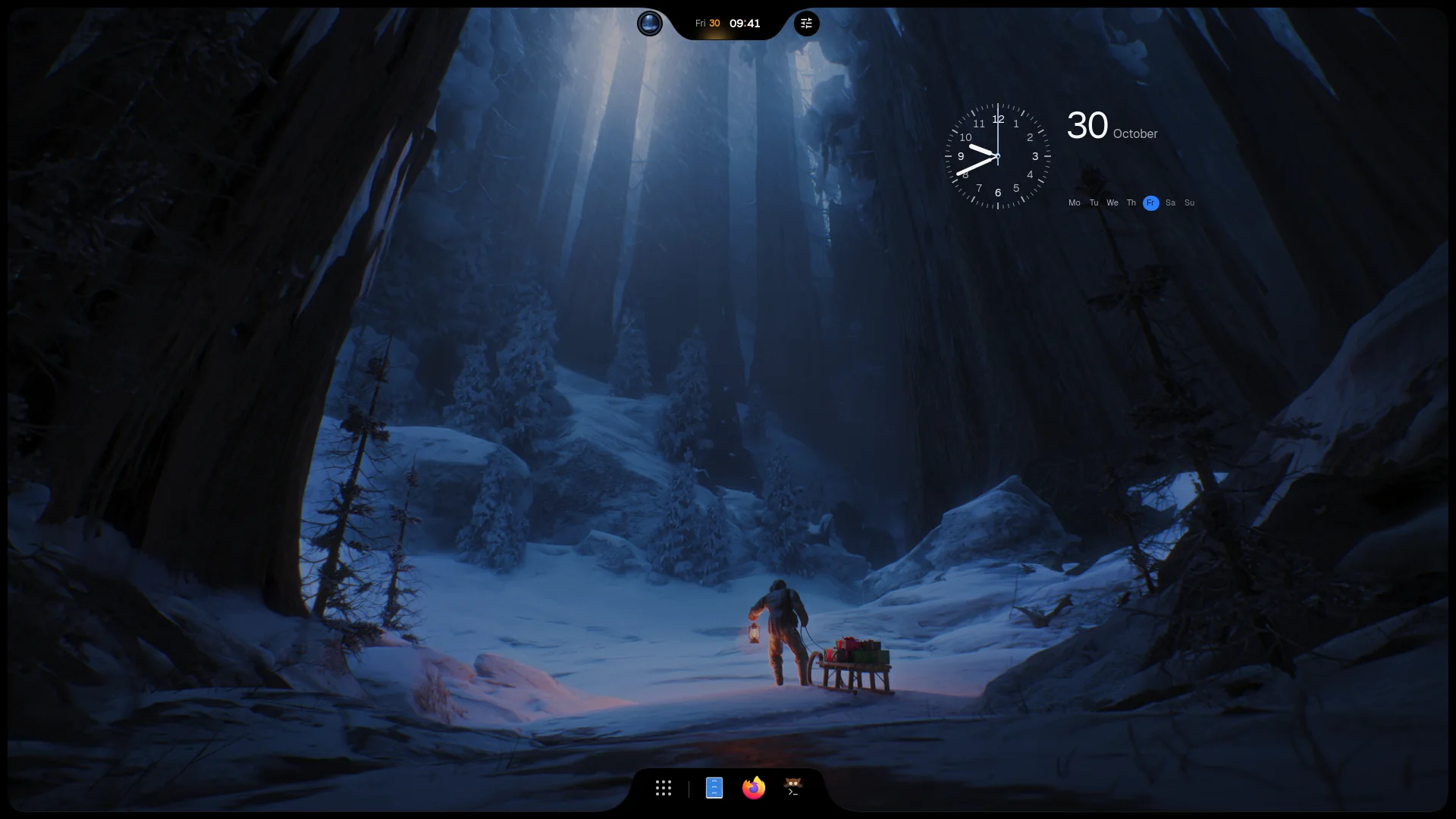
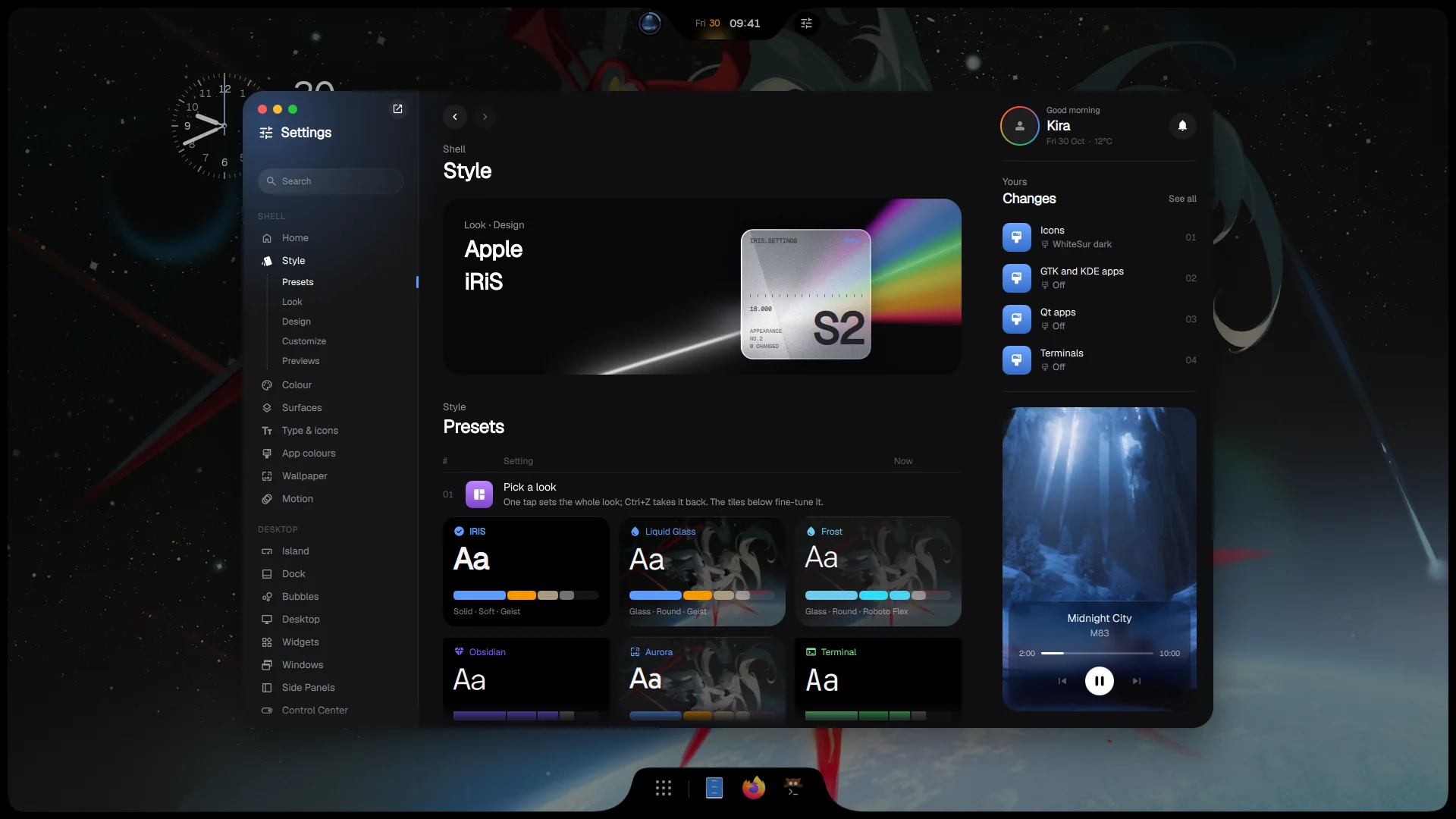
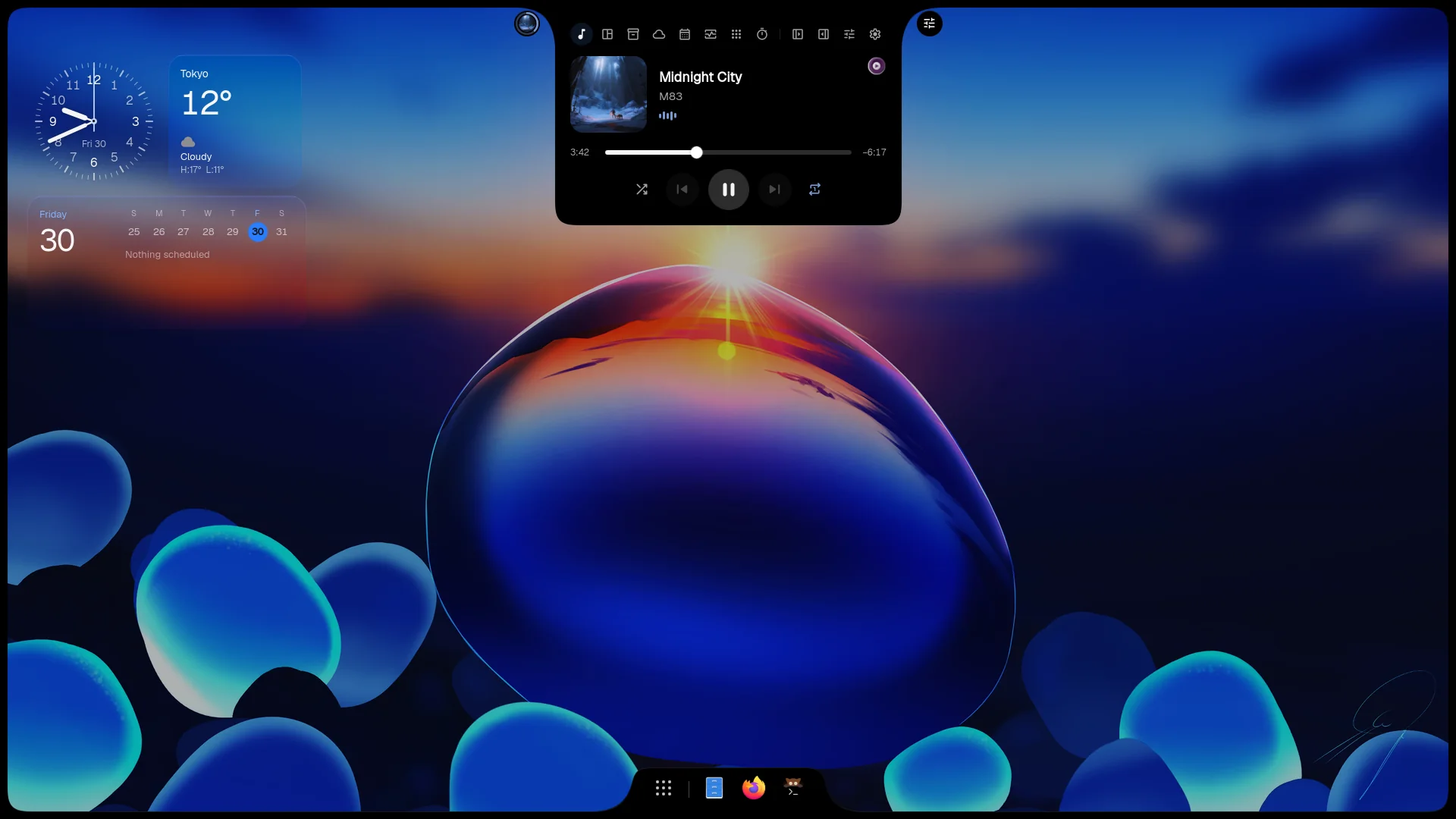
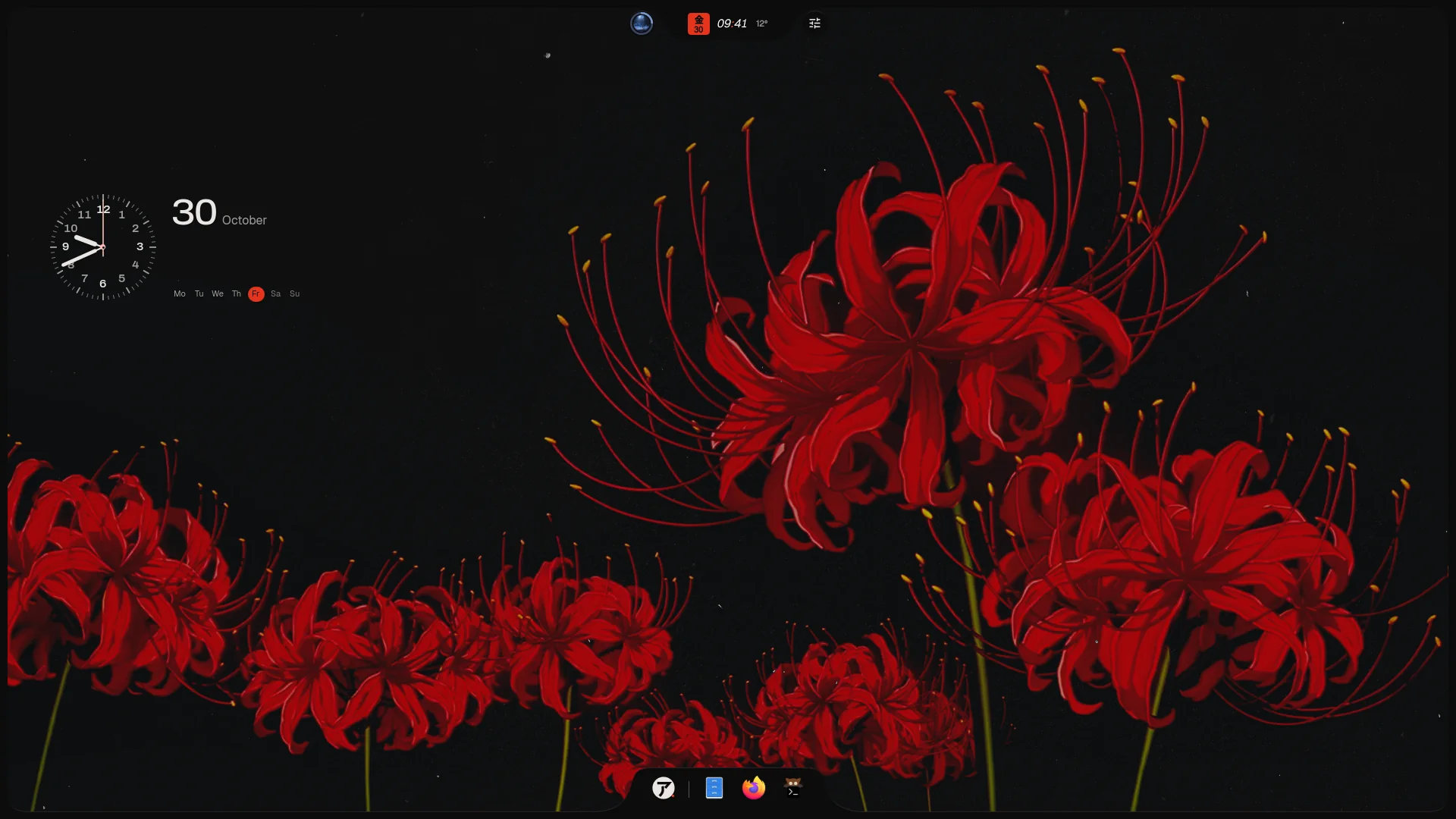
iNiR 3.0 rebuilds the shell from the ground up: a small base with every family as a plugin, its own prebuilt runtime, a home at inir.space, and a new Settings for iRiS. It is the work of 1,131 commits to the base and more than 1,300 across the Hub, the runtime and the inir command. One inir update brings all of it, compiles nothing on your machine, and keeps your config.
01PrismiRiS Settings rebuilt: every option in one place, with a live preview of what it changes.
02The IslandMusic, timers and live activities in one object at the top, in sixteen designs.
03AIRISUThe first Design: its own panels, layout and voice on the iRiS engine.
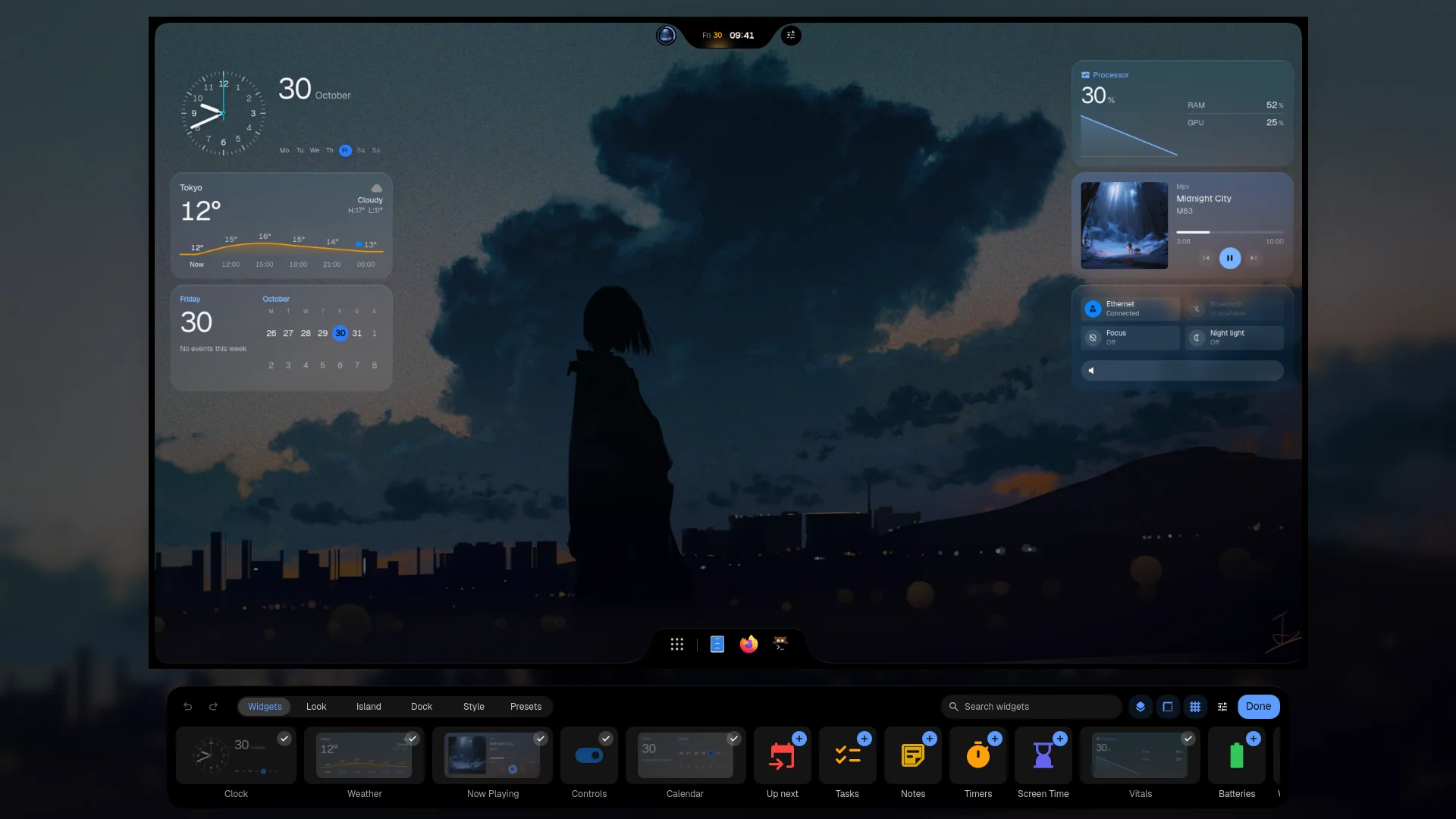
04Edit modeDrag, resize and save desktop widgets, then switch whole desktops in one click.
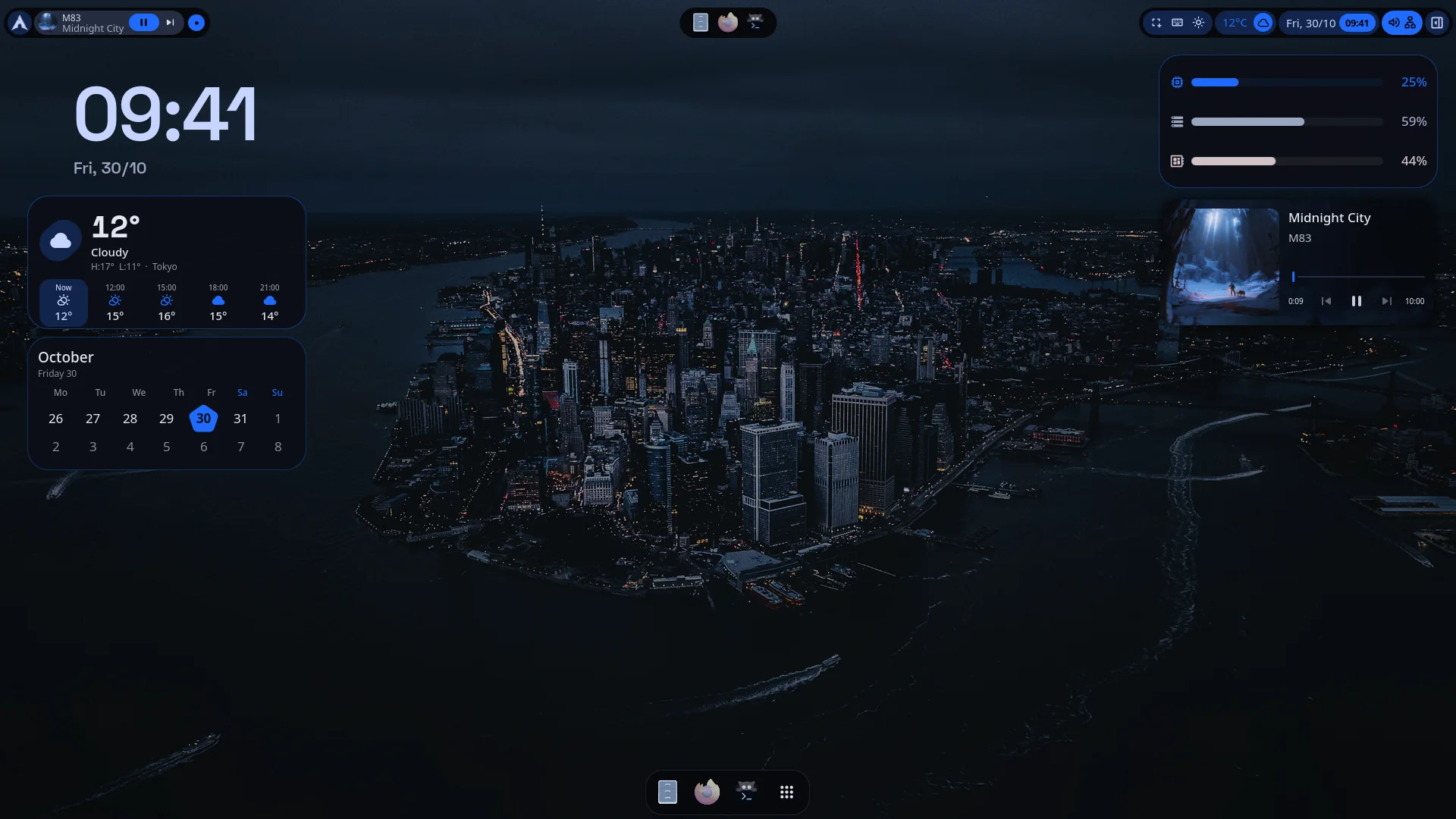
05MaterialThe same widgets in Material's own faces, with its rebuilt Settings and type.
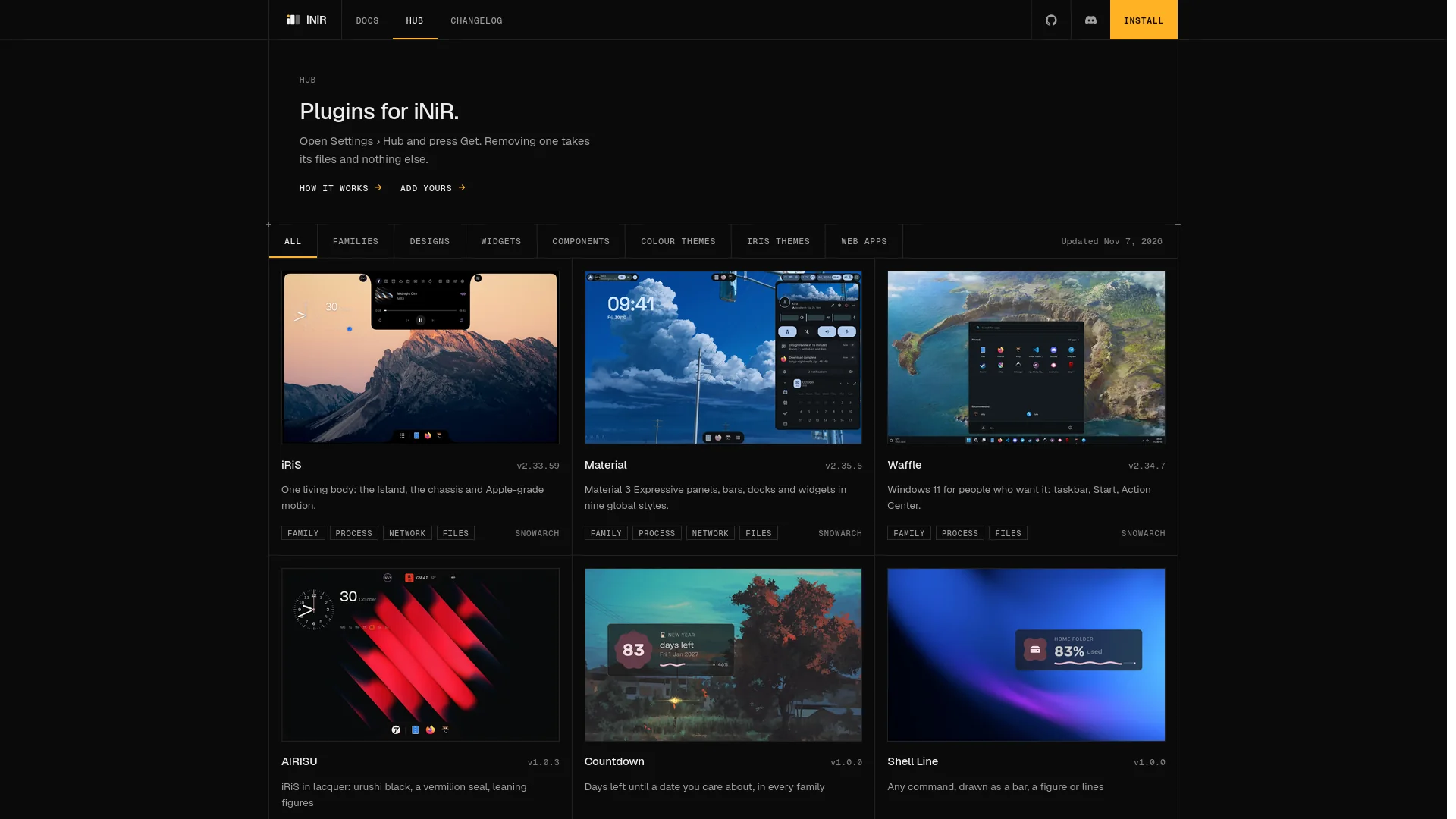
06iNiR HubFamilies, Designs, themes and widgets as plugins, at inir.space/hub and inside the shell.
Added
The new base10
Families are plugins: Material, Waffle and iRiS install from the iNiR Hub and update on their own; the welcome wizard offers them, and only the family you wear compiles at start.
iNiR Hub: families, iRiS Designs, components, desktop widgets, colour themes and web apps in one catalogue, browsed in each family's Settings as a store (list or grid, sort, what's new per version) and at inir.space/hub.
Votes and reactions: like any Hub item, react with any emoji from a small search ("pregnant" finds 🫃) and see how many installed it; what others give shows live, with no account and without your name, and one switch turns it off.
Components with a panel: a Hub component can bring a surface of its own, with its own IPC and its own options file, without touching a family or your settings.
qs-rs: the shell runs on Quickshell rebuilt in Rust with its own Qt, prebuilt and checked by sha256; Quickshell stays as the fallback.
inir-accel: one Rust binary takes over the shell's Python and Go helpers: wallpaper colours, the iRiS palette, app themes, thumbnails, lyrics and screenshot regions.
The inir command: rewritten in Go with shell completions; inir doctor runs setup's checks and repairs, inir update shows each stage and the release notes, plus inir deps, inir hub, inir run and inir look export|import.
inir.space: the website, every guide at inir.space/docs, the Hub catalogue and this changelog in one place.
Umbriel: iNiR runs on Umbriel, the Noctalia team's compositor, next to Niri; the first login there brings your keybinds and keyboard layout along.
NixOS: a lean NixOS module with its Python environment and a Niri config to start from.
iRiS9
Prism: iRiS Settings built new, and the one it opens with: every option as a numbered row under a hero of light broken into its spectrum, search that opens as you type, your recent changes and the music beside it, Ctrl+Z for any change.
Every option in one place: Display, Colour, Wallpaper, Sources, Widgets, Screenshots & Recording and the rest moved out of Material's pages into iRiS Settings, each area with a live scene of what it changes; Classic and Folio remain as other layouts, and the v2.33 design is one key away.
Designs: another look over the same engine, picked in Settings › Style; AIRISU, the first, is coloured lacquer with its own Island, lock, Spotlight, Control Center, notifications, OSD, menus, dock and widgets.
Live activities: the Island carries music, timers, calls and replies, charging, screenshots and camera or mic in use, like a dynamic island, each with its own switch and order.
Island designs: Halo, Ledger, Tiles, Dial, Marquee, Duo, Headline, Rings, Aura, Status, Forecast, World, Comet, Lumen, Glyph and Tide, each with its own options.
Bar layouts: the Island alone, docked into a corner, rising from a full Shelf, split into Pods, or as a menu bar that names the app and numbers workspaces.
The shelf: the Island keeps what you copy, capture and drop, ready to drag out again.
Looks and textures: Nothing OS, Synth and Gel looks beside Apple; Flat is the factory texture, with Light leak and Light streak as new ones; a Glyph icon pack with its own shape, fill and weight.
Wallpaper picker: three layouts, favourites, local folders and web sources, with colours shown as paint strips.
Desktop widgets5
Edit mode: the desktop recedes into a card where widgets snap with magnets and guides, a shelf holds every widget, and Undo takes back any move; in iRiS and in Material.
Saved desktops: Glance, Dashboard, Focus, Listening and Bare from the factory, and any desktop of your own saved as a preset.
Sizes: small, medium and large for every widget, each with its own layout; content widgets still take any width and height.
New widgets: lyrics, palette, photo, world clock, vitals, timers and screen time, with Countdown and Shell Line from the Hub.
Faces per family: Material widgets speak Material 3 Expressive, iRiS has its own faces, and every widget says something useful when there is nothing to show.
Material4
Settings: two panes and a home of shaped tiles, global styles as a gallery, changed settings marked with their way back; the v2.33 window returns as Classic, one click away.
Hub page: a dense store, as a list or a grid.
Type and motion: Google Sans Flex with figures that round out by size, dock icons that swell under the pointer, and a bar and dock that wait for a rest before they hide.
Wallpaper picker: a skewed deck with a full screen preview.
Waffle3
Settings: Windows 11 cards and categories, expanders that carry their switch, and keyboard focus as WinUI draws it.
Take style from Material: one switch borrows Material's global style.
Welcome and Hub: Waffle's own welcome steps and the Hub as a store library.
Everywhere7
Live window previews: the overview, Orbit, the dock, Alt+Tab, taskbars and task view show the real windows moving, not old stills.
Live pins: pin part of a window to the screen and it keeps updating.
Notifications: typed replies to apps that take one, and quiet delivery chosen per app.
Undo over confirm: removals happen at once with an Undo, instead of asking first.
Picture-in-picture: a PiP window from any browser floats on its own.
Web apps: Qt WebEngine is a one-time download of about 110 MB, started from the Web Apps tab.
Fonts: Geist, Geist Mono and Geist Pixel ship with the shell.
Changed
inir update brings the whole new iNiR: the base, your families from the Hub, qs-rs, inir-accel and the inir command, all prebuilt. Hub items update even when the base is current, and a version that won't load is rolled back to the one you had.
Migrations are gone: the update itself sets right whatever an older iNiR left behind, so inir migrate and ./setup migrate retired.
The base keeps one wallpaper; the rest come with the iNiR-Walls pack setup offers, and a wallpaper you had set from the shell's own pictures is copied to your Wallpapers folder first.
The docs live at inir.space/docs, and every family's About page points there.
Under iRiS, Material's Settings pages keep only what iRiS Settings has no row for.
iRiS opens flat and black from the factory, with glass and glows yours to turn on.
Menus open on press, a press that closed one stays closed, and tooltips warm up once, then show at once beside each other.
Only the family in use compiles at start, panels opened all day are built once and kept, and the wallpaper arrives with the first frame.
The shell runs as inir-shell, out of reach of ananicy's qs rule, and Settings shows in docks and taskbars as iNiR Settings with its own icon.
A live wallpaper pauses under a maximized window, and a web wallpaper plays on every monitor.
go, OpenCV and numpy left the dependencies: inir-accel does their work.
Debian builds Niri from its v26.04 tag with its session files, and takes prebuilt Niri and Quickshell where they exist.
The welcome wizard names no family until you pick one, and Skip lands on the recommended setup.
Fixed
23
A laptop with a charge limit is no longer taken for unplugged, and a low battery notice waits for the reading to hold instead of firing on a 0 % blip.
The night light comes back after a charger change resets the screen on some Intel laptops.
Desktop widgets keep the sizes and plates they had in v2.33, and a family switch never rewrites their positions.
A setting changed in Prism or any Settings no longer stalls the shell, and search no longer lags.
Settings buttons, labels and segmented controls grow with their text, so long translations fit.
Dates, days, months and place names follow the shell's language, and LC_ALL wins over LC_TIME.
An edit to the config from outside wins over a save in flight, and a write that changes nothing is skipped.
Notifications, to-dos and events saved right as they load are no longer lost.
Notifications are no longer swallowed while the shell restarts: the Settings window stops holding a notification server of its own.
A moved or deleted wallpaper is replaced instead of stared at.
Text over the wallpaper reads in light and dark schemes, and widget glass blurs the picture under it.
Borders keep see-through windows see-through.
Brightness keys skip a monitor whose screen went away, and the wheel finds the right one.
A fast drag on a volume slider no longer stalls it, and the mixer lists every app.
YouTube's skip brings you back to where you were, and a resting song keeps its title.
An app icon your theme lacks takes a clean fallback instead of a checkerboard.
Power profile controls show only where a daemon runs, and setup installs one where nothing manages power.
Void: a login no longer hangs when D-Bus starts elogind before its own service does.
Debian: a Niri built from source gets niri-session and its service, so the shell starts at login.
The iNiR block in .bashrc and .zshrc prints colours only in interactive shells.
A reinstall keeps your settings, Niri config and dotfiles, every download retries a dropped connection, and Python packages below their minimum get upgraded.
Machines without Bluetooth, Tailscale or a saved game mode state no longer log warnings about them.
Waffle: a desktop renamed in Task View keeps its name.
Void Linux support, the iRiS lock on the login screen, and a washi palette for iRiS.
Added
Void Linux: install, update and repair with XBPS; iNiR runs under runit or Turnstile where there is no systemd user manager. The steps are in the Void guide on the Wiki.
The iRiS lock on the login screen: SDDM in three styles, Cover, Frame and Lens, under Login Screen in Settings or with inir loginScreen style <cover|frame|lens>.
Washi palette: paper palettes and paper levels for iRiS and your apps, with an Afterglow texture, in Appearance.
Wallpaper scaling: fill, fit, center, or one picture across every screen.
Game performance in Floating Tools: your game's FPS in a floating overlay.
Update notices: when a new iNiR is out, a notice says so, also right after login, and Not now brings it back after the interval set in iRiS Settings › Sources. In iRiS the update bubble shows up by itself, on the frame or the Island, and its card lists the incoming changes; in Waffle the notice opens the details.
Material: choose which switcher Alt+Tab opens, and a design for one widget at a time.
Changed
iRiS Settings keeps a page's live preview in view while you scroll, and Colour, Wallpaper and Login Screen are sections of their own.
With auto-hide on, the Island stays visible on workspaces with no windows, like the Dock (Settings › Island › Visibility).
Firefox, LibreWolf, Floorp, Waterfox and Zen follow the wallpaper from their next launch, and Helium, Thorium and Flatpak Chromium get its colours too (App colours in Settings).
With nothing playing, the iRiS Control Center's player opens the music app you use most.
iNiR answers every password prompt itself; other polkit agents are no longer started, and inir doctor checks that prompts get an answer.
fuzzel and dunst are no longer installed.
Fixed
18
A config read during a save no longer resets your settings.
After a Qt update, inir doctor --fix-abi rebuilds Quickshell instead of leaving the shell broken.
Secured Wi-Fi asks for its password in iRiS.
Desktop widgets keep their places across scale changes.
Brightness no longer loses the monitor when the bus is busy at login.
Fedora installs work with dnf5.
The iRiS battery bubble draws the battery and its charge, and figures in bubbles no longer run into their ring or corners.
Day and month names in iRiS follow the shell's language.
The iRiS power menu blurs the whole wallpaper instead of stretching its top strip.
A failed update check no longer reports the system as up to date.
Apps no longer miss the wallpaper's colours on machines without Steam or Spotify.
VS Code settings with comments are no longer moved aside for an empty file.
The password prompt Chromium browsers need for their colours shows under iNiR, once for all of them, and a dismissed one doesn't come back on every wallpaper change.
KDE apps no longer get a nearly Thin font weight.
Light schemes get the light variant of your icon theme instead of its white icons.
Blur behind windows covers video and GIF wallpapers when Blur animated wallpapers is on.
Annotation strokes draw while you drag, and the editor opens on the screen you captured.
Notification actions sent without a label read Open.
2.32.0 turns iRiS into a desktop you shape by touching it: click the Island, the Dock, a bubble or a widget and its options grow right there, widgets stack and read the wallpaper under them, the Control Center and the lock screen are yours to arrange, Orbit lays your whole session out from the Island, and the shell and your apps switch together between dark, ink and light.
Added
Customize where you look: click the Island, the Dock, a bubble or a piece and its options grow out of it, with Themes, Look, Pieces, undo and Done on the Island and a ring that follows the shape you are editing. Prefer one panel? Studio keeps every area in a column beside the screen (Settings › Appearance › *Customize opens*). Right-click the desktop › *Customize iRiS*, or inir iris edit.
Dark, Ink and Light: *Scheme* in Appearance follows the system or stays where you put it. Ink is washi and sumi, softer than white, and each scheme has its own tone, colour strength and frost. The scheme is the system's mode, so GTK, Qt, terminals and VS Code switch with the shell (inir colorMode set dark|light|toggle).
Colour themes for the shell and your apps: Catppuccin, Nord, Rosé Pine, Tokyo Night, iRiS Ink and more instead of the wallpaper's palette, and *Match the shell* lends iRiS the theme's accent and material (inir iris palette catppuccin-mocha).
Menu bar layout: a thin strip with your workspaces, the focused window and your pieces, clear over the wallpaper (its items turn dark over a light one) or on a band, with the Island hanging from it as a notch that grows into whatever it opens (inir iris layout menubar).
Island and Dock shapes: capsule, round, squircle or square, the open Island follows, and one switch gives both the bubbles' shape (Settings › Appearance › Shape).
Six new themes: Twilight and Daybreak over a clear menu bar, Horizon with one black band across the top, Lume with clear glass and iNstrument widgets, and the anime themes Magical Girl and Spirit Forest.
Widget stacks: drop one desktop widget on another while arranging, or pick *Stack with*, and they share one place, turning by themselves, with the wheel or from the dots on their edge. Order, interval, taking a widget out and splitting the stack are in its quick controls (inir widgetStacks).
One design for every widget: iRiS, Material, iNstrument or Readout from Settings or any widget's Look page, with *Match* for the ones that kept their own look and *Undo* for your old mix. iNstrument now covers music, Screen Time and Controls.
Widgets that read the wallpaper under them: over a bright spot a widget turns to dark ink and deeper accents and its glass turns to frost, following it as you drag. Accents come from the wallpaper, iRiS, Spectrum or Mono with a strength you pick once, and *Lume on every widget* backs every text anyway.
A widget bar that finds things: Ctrl+F or the magnifier searches by name or by what a widget does, typos forgiven; arrows, Enter and Escape work as you expect, and the arrow keys nudge the selected widget. Its quick controls are one sheet with Widget, Look, Arrange and Stack pages.
A Control Center you arrange: drag, resize from a corner and add from a library with all 20 quick toggles, or start from six layouts. Right-click a display or system control to unfold brightness, Night Light warmth and schedule, dark mode, Do Not Disturb, Game mode, Stay awake and the power profile (inir iris control edit).
A lock screen you design on the real lock: move the clock, the player and the sign-in field, start from four layouts, choose what plays behind them (video included) and give each lock widget its own design, material, corners and opacity (inir iris lock edit).
Spotlight searches the whole shell: widgets, shell actions and every option by area, with typos, initials and short words forgiven; / lists iRiS's switches and themes and flips them in place, and the clipboard scrolls through its whole history.
Orbit: the Island grows into your session: the workspace you are on as a strip of its windows, each a picture where Niri keeps it, with its neighbours in miniature above and below and a rail naming each by its number. Type to light up where a window is and ↵ goes to it; the window you pick lists its actions under its workspace, and Recent and set-aside windows sit below. It starts off while it matures: turn it on in Settings › Orbit, then open it from a hot corner that picks a free one itself or bind inir orbit toggle.
Keybinds in one line: inir bind Mod+O orbit toggle checks the call and tells you what those keys do now; --add saves it to your own Niri file, where it wins over iNiR's default, and --examples lists ready binds for your family. Tab completion in bash, zsh and fish knows every target, function and the values each one takes, and installs itself (inir completions install). In iRiS, inir iris focus, today and controlCenter open the side panels and the Control Center by their names.
iRiS Settings for the whole desktop: date and time, language, notifications and quiet hours, sounds, night light, battery, game mode, idle, screenshots and a Sources section for weather, calendars and updates, plus native pages for Niri's windows, keyboard, mouse and displays. Lay it out as a sidebar, a rail or a home.
Every surface on its own terms: each iRiS surface can be solid or glass and move in its own style, cards come in four designs, the Island can auto-hide, pieces can sit before the clock, and six pieces let you choose their icon.
A visualizer wherever music plays: capsules, a rising equalizer, dots, a wave or a ring on the resting Island, its player page and a new Visualizer bubble, with bands and colour in Now Playing.
New pieces: VPN for NetworkManager and Tailscale (addresses, your tailnet's devices, live traffic, WireGuard and OpenVPN import, inir vpn), Airing counting down to the next episode from AniList, Continue to search, play and resume anime in mpv to the second with its subtitles at hand, and a bubble that shows what changed in a new iNiR version and updates from its card.
Connection notices in every family: mice, keyboards, controllers, phones, drives and SD cards by name, plus Bluetooth, the charger, displays, sound output and the internet (inir connections sample usb).
Niri from Settings: six window animation presets (Snappy, Niri, Material, Bouncy, Gentle, Instant) in every family, and window opacity and blur rules without editing KDL (inir niriAnimations apply snappy).
Wallpaper gallery sources and filters: stills, live wallpapers or GIFs only, Konachan and yande.re beside Wallhaven, and sorting with a range for Wallhaven's top picks.
A family switch list: choose which families Super+Shift+W cycles through, in any family's Settings.
Your avatar in the Material bar: your picture can be the top-left icon.
Changed
Live wallpapers play from a copy sized to your screen and glass shares one small decoder: 1.8 GB became under 700 MB with a 4K wallpaper, and pausing holds the frame instead of rewinding.
The desktop stops drawing when nobody can see it: music visuals, the system monitor and the Organic edge hold still behind windows, and idle GPU use went from 22 % to 9 %.
The shell hands freed memory back to the system (about 290 MB with a live wallpaper) and no longer starts Mesa's extra GL threads.
Live wallpapers download in 4K when MotionBgs has it; *Light* keeps HD for slower machines.
Snappy is the default Niri animation on fresh installs, so windows open in about half the time.
iRiS ships its own type (Inter, Inter Display and Rubik) with a weight setting.
Glass catches light on its cut edge, so it no longer vanishes over a desktop darkened by windows, and compositor blur follows iRiS's real shape.
Dock previews show the app's icon and a strip of its workspace's columns with its window lit; middle-click one to close it.
The iRiS desktop menu is yours to arrange (screenshot, terminal, files, colour picker, next wallpaper and more).
Themes dress the lock screen and the Control Center too, and a theme can lend only its colours.
You decide what the iRiS OSD shows, in fullscreen too, and the volume limit goes up to 153 %.
Online features (wallpaper sources, news, anime, weather, lyrics, AI chat) say when you are offline and pick up again on their own; weather keeps its last forecast.
iRiS Settings reads better on glass: groups open on what people look for first, search reads descriptions and marks the words you typed, and the section you are in wears the accent.
A fresh iRiS install keeps the wallpaper clear of Material's blur and dim, and cards leave a little air between themselves and the bubble that opened them.
The music widget rests as a single tile when nothing plays, and the media card's artwork fills the card.
The installer says when a distribution's Qt is older than 6.9 instead of failing halfway, and a first install ends by saying why to reboot.
Fixed
21
YouTube previews no longer take over what is playing, and apps that play through mpv or GStreamer show their own name in the sound lists.
Track time and length stay right after seeks and ads in every family, and artwork no longer flickers between tracks.
Light mode keeps its contrast: accents are solved against the surface they sit on, text on accent fills is readable, and VS Code gets a real light theme.
Auto light or dark reads the wallpaper you actually see (PNGs with an alpha channel turned the shell light on 56 of 265 wallpapers here), and a mode you pick by hand stays.
The shell starts without recolouring every app, and apps under frost or blur take the material the shell actually shows.
iRiS loads again on Ubuntu, Debian and Fedora, whose Qt still reserved four names it used.
Repeating calendar events show every time they repeat, and external calendars no longer empty out after a sync without internet.
Fullscreen is noticed every time, so the bar hides and game mode starts on a second fullscreen window, and the next song no longer pops up over a game.
Screen corners open on their own monitor, and Material sidebars open on the monitor you clicked.
A crowded Material bar no longer cuts its modules in half; the music title gives way first.
Transparent widgets are bare instead of sitting on a faint dark plate.
Bare desktop widgets on a light scheme keep light ink over a dark wallpaper instead of turning near black, and a soft shadow holds their text where the wallpaper under them is bright.
The keybind examples in the IPC reference use Niri's own syntax, so they can be pasted into your config.
Icon themes follow the light or dark scheme: WhiteSur-dark's white folders no longer show up in Nautilus, Dolphin or the tray on a light scheme.
Live wallpapers no longer restart when you uncover the desktop, and switching families no longer shows a pixelated frame.
Big wallpaper folders no longer choke the shell (3736 processes became 31 for a 300-image folder), folders with spaces get thumbnails, and a file name can no longer run a command.
Done and the other edit-mode buttons answer the first click, locking and unlocking iRiS no longer flash, and lock-screen widgets show up.
Tray icons show the icon the app publishes, and Island bubbles no longer contact AniList unless you placed Airing.
Your language shows outside the one region it was written for, language names read the same in every picker, and Spotlight's usage hints keep the command you type.
Setup leaves your font settings alone, and inir update names the checkout it updates, shows the real pull error and stops flagging our own files as your changes.
Niri window rules stay scoped to iNiR's own and keep the game mode marker.
2.31.0 introduces iRiS, the third panel family, together with its Island,
Themes, Studio, edge-aware Dock and desktop pieces. The release also folds in
the wallpaper, widget, Settings, runtime and installer work completed on
prerelease since 2.30.0.
Added
iRiS, the third panel family.: An Island that lives on a screen edge and turns into whatever you opened, pieces you can carry around, bodies that grow out of what you clicked, and a Studio that edits the whole thing live. It is built for Niri and it is the flagship from here on, so expect it to get most of the love.
iRiS Themes: are whole redesigns, not palettes: 14 curated ones, plus your own as plain JSON files in ~/.config/inir/iris/themes. Save, import, export and share them from Studio or with inir iris theme. A theme never touches what you placed, only how it looks and moves.
The Island goes on any edge.: Top, bottom, left or right (inir iris edge <side>, or drag it there). On a side it stands up as a capsule with a stacked clock and its bubbles above and below, and everything it opens grows inward.
The Dock goes on any edge too: (iris.dock.position, inir iris dockEdge <side|auto>). Auto sits opposite the Island, and if you send one to the other's edge they just trade places.
Pieces that share an edge with the Dock or the Island join them: instead of floating on top: the Dock gives them a section of their own after a separator, and the Island carries them as part of its body.
The Island can also be a full width bar: with start, center and end zones (iris.bar.fullStart, fullCenter, fullEnd) for the Island itself, workspaces, the focused window, the time or any piece. Settings, Island, Bar, or inir iris zone start|center|end kinds+joined+with+plus.
Glass is the iRiS material: the wallpaper, frosted and tinted, behind every body, with text that keeps its contrast on bright wallpapers. Real compositor blur is in there too, labelled as experimental because it is.
Studio and Settings show what you are changing: , with live miniatures and small animated scenes for the Island edge, the bar zones, Light, Fusion, Glass and the Dock. Not a fan? Animated previews in Settings, Appearance, Previews turns them all off.
Multiple monitors: every output gets its own Island, frame and Dock, while Spotlight, the Dock reveal and editing in place follow the output you are on.
Desktop widgets get an iRiS face system: instead of a second widget backend: glass, transparent, solid and tinted materials, per-widget controls and native faces for the everyday set. Controls and Screen Time join the desktop library too.
The iRiS wallpaper gallery: browses the local library, Wallhaven and live anime scenery with showcase/strip/wall layouts, pinned folders and one-at-a-time muted video previews. Live wallpaper decoding pauses when it is not useful instead of burning through frames under covered desktops.
iRiS keeps the expensive stuff on demand: inactive Island pages, external Controls, Settings previews and floating bubble bodies are not kept alive just because the family is selected. The family stays feature-heavy without making every feature resident.
Editorial global style: adds a configurable Material-based visual system across Settings, bars, dock, dashboard, sidebars, media, notifications, wallpaper flows, desktop widgets, lock/session surfaces and shared paper components, with separate paper/accent controls instead of one hard-coded treatment.
Organic Edge: brings the Organic audio renderer to screen edges and desktop backgrounds with layout-aware spectrum behavior, configurable placement/composition and dedicated Settings controls.
Desktop composition tools: add a dashboard focus timer, decorative shape/date-badge widgets, Editorial typography compositions and a substantially expanded widget editor for placement, shape, visibility and per-widget controls.
Optional Kira companion runtime: adds the companion shell integration, Settings/IPC controls, expanded JRPG animation profile, locale coverage and safer optional asset-pack delivery.
Fresh-install experience presets: now combine curated desktop compositions, coherent visual styles and explicit graphics budgets so new installs can choose a complete starting point instead of assembling every subsystem manually.
Kalaallisut (kl_GL) localization: is now available as a complete selectable locale.
Day progress desktop widget: shows a borderless instrument ring of 60 minute ticks with quarter hour labels, a comet-tipped elapsed arc and the current time/percentage at the center, with style (ring/arc/ticks), text size, icon, labels and date toggles plus the shared per-role palette.
Changed
First-run setup is family-aware.: The family is chosen before its setup pages; iRiS gets its own Themes, live chassis preview and real Island/Dock placement controls instead of inheriting Material ii profiles and controls that do not own iRiS.
Settings architecture and search: now use the rebuilt Material ii host/navigation model, generated search registry, clearer focus/readability states and consistent embedded/window lifecycle behavior.
M3 bar layout editing: has been rebuilt for clearer module placement and better compression on constrained widths while preserving the existing bar ownership model.
Localization tooling and runtime switching: now separate source coverage from locale parity, improve translations across the shipped catalogs and scope locale discovery to actual translation files.
Organic audio behavior: is more layout-aware across bars and screen edges, follows the active playback sink more reliably and uses less fragment work for edge rendering.
Runtime work is more demand-driven: resource polling is scoped to visible consumers, countdowns share a second-aligned clock, hidden/reduced-motion widget animations stop unnecessary work and Settings search reuses edit-distance state.
Default Niri animation timing: is slower and more deliberate on fresh/default configurations.
Fresh CachyOS installs: enable niri-focused-booster when the official package and DMEM cgroup interface are available. Existing installations are left alone.
Fixed
13
The iRiS desktop menu stays available with desktop widgets disabled.: Turning off the widget canvas no longer removes bare-desktop right-click actions such as Wallpaper, Studio, Search and Settings.
Update/crash recovery: now refreshes Niri-owned session environment from the running compositor and limits cleanup-orphans to Quickshell processes owned by inir.service, fixing the two failure paths reported in #257. Doctor also surfaces a failed/start-limit shell service with the normal concise inir logs path instead of requiring full framework logs.
Terminal update completion: now captures the real setup update exit status without relying on PIPESTATUS, so successful VM updates no longer end with Bash unary-operator errors and a false failure summary.
Uninstall restoration: now restores pre-iNiR Kitty and Foot configuration, removes generated terminal theme links safely, preserves a final uninstall backup and removes only iNiR-owned shell integration (#256).
Niri lock recovery: now survives an interrupted Quickshell/session-lock lifecycle without leaving the next shell instance in a broken lock state.
Niri display Settings: no longer write compositor configuration merely by loading the page, persist actual display edits correctly and keep success/error feedback from disrupting the Settings workflow.
Fullscreen/Game Mode behavior: is reactive again: visualizers suspend correctly, Orbit hot corners stay out of fullscreen/game sessions, Overview can reclaim shell navigation, and Ricelin Pill uses the same native Top-layer fullscreen stacking as Dock/Classic/M3 while reserving Overlay only for explicit surfaces, OSD and toasts.
Dock interactions: recover canceled pointer activations and keep previews/context menus stable long enough to interact with them without leaving stale menus behind.
Bar popups: are clamped to their output bounds instead of rendering partially off-screen.
Wallpaper/network content retries: handle booru array responses correctly and retry transient Wallhaven service failures instead of failing permanently on a temporary response.
Sidebar geometry: preserves its bottom navigation rail width and correctly centers the collapsed footer summary.
Audio visualizer source selection: keeps Cava attached to playback sink monitors instead of silently following the wrong PipeWire path.
Locale discovery: no longer treats unrelated JSON files as selectable languages.
This release brings the wallpaper transition pipeline to a stable base, expands desktop tools and media controls, and closes a long list of setup, runtime and Settings issues across ii and Waffle xd
Added
Multilingual OCR: now includes Japanese and Chinese modes, Japanese dictionary lookup, optional Anki export and downloadable study resources.
Desktop widgets: now include calendar, pixel clock, timer and to-do tools with persistent state and matching Settings controls.
Wallpaper shader transitions: add a larger internal transition set, random shader selection and shared controls in ii and Waffle.
Organic audio rendering: is now available in the Visualizer and Media Player with configurable response, range, glow, idle motion and presentation controls.
Dashboard and sidebar organizers: can open expanded calendar, agenda and to-do views.
Niri monitor arrangement: is available directly from Monitor Settings and persists the output layout.
App-level filters: can exclude applications from notifications and visualizer audio sources.
Changed
Orbit: navigation, workspace motion, shelf density and preview refresh were refined, with bounded preview memory and cleaner presentation lifetimes.
Wallpaper ownership: is now explicit. Internal shader transitions stay inside the QML renderer while AWWW remains synchronized underneath, removing the visible handoff between renderers.
Wallpaper preview, apply and cancel: now share one state machine, coalesce rapid navigation and avoid repainting an already presented preview.
Wallpaper fill and backdrop rendering: keep the final crop and quality more consistently across low resolution and mixed aspect ratio images.
Visualizer and Media Player: now share the same Cava normalization, palette and Organic rendering path while keeping independent quick controls.
Setup and Doctor: use more distro-appropriate dependency paths on Arch, Fedora and Debian, with repository-first providers and cleaner fallbacks. Nix packaging and runtime tool resolution were updated too.
Niri launcher integration: is portable across repo-link and login sessions, and the generated IPC registry matches the current command surface.
Session startup: now gives Niri ownership of compositor environment state, waits for the real runtime and handles suspend locking more safely.
Settings: now opens in Advanced mode by default and app filtering is available consistently in ii and Waffle.
Mascot defaults: and optional pack guidance were aligned so fresh installs stay opt-in and existing configurations are not rewritten unexpectedly.
YT Music: runtime authentication and dependency handling were hardened across supported distributions.
M3 dock and bar layout: behavior was refined so context menus, workspace placement and module ordering remain usable under tight width and custom ordering.
Organizer expansion controls: now live in the calendar, events and to-do widget headers instead of changing the sidebar navigation rail.
Release and Arch package metadata: are aligned on version 2.30.0, and obsolete allocator tuning was removed from the runtime.
Fixed
15
Wallpaper shader previews: no longer flash the currently applied wallpaper between frames, and rapid preview changes no longer expose AWWW underneath the transition.
Wallpaper transition geometry: no longer shows provisional resize, recenter or crop states before the final image geometry is ready.
Preview and screenshot capture: no longer replace the user clipboard or pollute cliphist, while normal Niri screenshot notifications keep their icon.
Fedora and Debian dependency repair: no longer treats Arch package names, command IDs or Flatpak IDs as native packages, and Fedora prefers packaged AWWW providers before source builds.
SDDM setup: no longer overrides the distro greeter backend or input method.
Nix installs: now resolve preview tools from the service environment and keep Niri and optional mascot packaging consistent.
Overview desktop app drag: works again and Dashboard layout no longer regresses while moving items.
Visualizer wave and bars controls: keep their sensitivity, smoothing, color and bar settings after the Organic work.
Pixel Clock, setup output and Niri night light: behavior was cleaned up without changing user configuration.
Taskbar application state: no longer enters a recursive binding loop.
Bar auto-hide, tray interactions and constrained layouts: are more stable, and workspace modules can move through the full supported ordering range.
Material text fields and system widgets: render more cleanly, CPU and GPU temperatures are separated, stale notification image handles fall back safely, and idle Custom Image shape tooltips stay hidden.
Crosshair chrome and masked user services: now handle their edge cases without clipping outside the rounded frame or breaking setup/runtime repair.
Repo-link installs: keep launcher and service files synchronized with the live checkout instead of leaving stale runtime copies.
Managed Python dependency documentation: now matches the runtime sources used by the project.
A polish release for Pill controls and surfaces, settings navigation, TUI app themes, and several runtime fixes including privileged graphical apps and audio feedback stability.
Added
TUI app themes: Discord/Vesktop gains an iNiR TUI flavor on top of System24, and Spotify gains an InirTUI Spicetify flavor based on the upstream text theme. Settings can switch Spotify between Sleek and TUI while preserving wallpaper-driven iNiR colors; Text receives semantic iNiR accent/border/header/highlight roles and readable playback-control contrast without forking its layout.
Pill controls and app mixer: battery display can use icon, percentage or both; Now Playing gets a wide hover-row capsule with wheel volume control instead of relying on the tiny side bud; monitor-aware sizing plus roomier calendar/weather, launcher, tray, workspace and shared search controls improve 1080p+ usability; Super+Space can open either iNiR Overview or the Pill launcher; a Ricelin settings index links directly into iNiR settings pages; and Mixer uses Ricelin-style vertical output/app faders with resolved desktop-entry names/icons, wheel volume, mute controls, a horizontally scrollable app rail, and a separate System view.
Floating Pill: Pill can remain visible and hover-expand above normal windows without reserving the top edge. Fullscreen still hides and unmaps the overlay to preserve game performance.
Changed
Pill and Ricelin settings: Pill setup is now grouped by interaction, readability, surfaces, hover row, clock/glyphs and advanced geometry with a live shape preview; Pill and every Ricelin Island surface now consume one body-opacity/glass material with shared blur, radius, shadow and sheen, including nested PanelSurface consumers.
Pill sizing: Scale now honors values below the monitor readability presets, and the previously working compact width, height, icon and spacing ranges are available again without changing the current defaults.
Settings navigation: dense multi-purpose pages use task-oriented sections, and search activates the owning section before focusing a result across standalone and overlay hosts.
Fixed
4
Audio and media feedback: right-sidebar volume writes are coalesced to prevent freezes and Pill media wheel feedback follows the effective player stream without jumping to zero; explicit track changes still show the media OSD while automatic changes can stay suppressed during games or fullscreen sessions.
Privileged graphical apps: GParted and Ventoy retain the Wayland/XWayland session environment after Polkit authentication; Ventoy uses its Qt frontend instead of forcing an inaccessible root X11 connection.
Pill notifications: blank or whitespace-only notification actions are ignored instead of rendering empty action buttons, and the unread indicator remains anchored to the capsule.
Text fields: shared fields no longer expose native Material outline fragments beneath custom global-style surfaces.
A focused polish release for Regalia, wallpapers, startup reliability, bar behavior, and recent runtime regressions.
Added
Regalia global style: a theme-reactive luxury material system with shared surfaces, controls, glass support, a Settings editor, and coverage across bars, dock, sidebars, search, dialogs, overlays, widgets, and Waffle selection parity.
Online wallpaper browser: Wallhaven-first discovery with Wikimedia Commons, Konachan and yande.re; monitor-aware aspect/resolution filtering, weekly ranking, ricing-focused collections, provider favicons, tag-hover control, configurable results per page, and cleaner paging/navigation.
M3 clock overrides: per-widget time/date font family and pixel-size controls.
Sidebar edge reveal: optional full-height left/right hover zones open the physical sidebar on that monitor, follow Shell Layout slot swaps, and auto-close transient reveals after the pointer leaves.
Changed
Startup loading: critical panels and deferred services are split more aggressively to reduce first-frame contention.
Dock ordering: running applications keep first-open order; combined mode keeps pinned apps canonical while they are running, and notification badges clear when their app is opened.
Window identity: shared application identities are resolved per window instead of collapsing unrelated windows together.
Fixed
9
Boot greeting and lock-on-startup: deferred panel loading no longer misses startup triggers; lock-on-startup is compositor-independent and runs once per real shell session rather than per hot reload.
Bar auto-hide: M3 keeps its reveal zone on the physical screen edge even with outer gaps; Pill/Pill Bar use a short hover grace across their top gap; both styles honor shared hover-region and push-windows settings. Super-only peek remains available where the compositor exposes held-Super state.
Media player volume: mouse-wheel volume now controls the player’s actual PipeWire stream when MPRIS volume is missing or ineffective, with shared behavior across bar/vertical/Waffle consumers.
Wallpaper switching with custom themes: setting an online wallpaper updates the wallpaper path even when a static/custom color theme is active, without replacing that palette.
Regalia polish: shared text fields/text areas no longer stack Material focus chrome with Regalia; the right-sidebar profile banner uses concentric insets and shared surfaces keep consistent hover/focus treatment.
Waffle controls: shared button icons remain centered and use the common transition timing token instead of a local animation duration.
Monitor lifecycle: disconnects and idle power-off no longer produce output flicker.
Updates and migrations: required migrations still run when the checkout is already current; migration quoting handles apostrophes correctly.
Runtime stability: guarded null accesses in QML delegates, cleaned orphaned swayidle, repaired the Spicetify wrapper asset, preserved VS Code JSONC settings during theme generation, and stopped Steam notifications from stealing focus on Niri.
A smaller release focused on making the desktop editor easier to trust, fixing a few rough runtime edges, and closing the reports that surfaced after 2.29.0.
Added
Workspace indicator colors: the active workspace can now use an automatic theme color or a custom color from Bar Settings. Foreground contrast stays readable automatically. Fixes #215.
Reusable Nix expressions: the package, NixOS module, and Home Manager module can now be imported without flakes; the flake remains a thin entrypoint. The Nix wrapper also carries Material Symbols so shell icons work without a separate host font install. Fixes #216.
Desktop widget palette presets: Quick Controls and Widgets Settings share the same Default/Primary/Secondary/Tertiary presets, with detailed role overrides available when needed.
Changed
Desktop widget editing: dragging, resizing, grid snapping, manager navigation, filters, and locked-widget handling now use the same panel-aware layout rules. Widget selection no longer shifts the layout.
Widget colors: System Monitor and other desktop widgets now use the shell's existing semantic roles instead of inventing local wallpaper colors. This keeps accent identity and warning states consistent across themes.
Cava controls: shell visualizers and terminal Cava now share stereo/channel state and expose the same spectrum, palette, response, smoothing, geometry, and opacity controls.
Fingerprint authentication: lock-screen fingerprint polling now follows Quickshell's real PAM lifecycle, starts after late device discovery, survives locked-state resets, and retries without duplicate sessions. Hardware acceptance remains tracked in #211.
Fixed
8
XWayland app launches: apps such as Steam, Wine, and Warp recover the live DISPLAY instead of inheriting a stale shell environment. Fixes #217.
Notification hot reload: notification wrappers, actions, urgency, text, and animations survive QML reloads without transient type/null warnings.
Blurry dialogs: shared dialogs keep text and icons on fixed pixel-aligned geometry while their background animates, fixing soft text in Close Confirm, Audio, Wi-Fi, Bluetooth, Hotspot, Night Light, Events, and Polkit.
Audio device dialogs: device menus close with their parent sidebar, and mixer rows tolerate PipeWire nodes disappearing during teardown instead of leaving a popup or QML warning behind.
M3 tray colors: the M3 tray uses its own semantic tint setting again instead of inheriting the classic tray value.
Update hover card: long branch names, commits, versions, and status messages stay inside the popup.
Desktop and popup polish: managed desktop menus use the correct screen coordinate space, Cookie popup motion stays inside fixed window geometry, and Wallhaven hover actions require clearer intent.
Session/runtime cleanup: XEmbed tray supervision, screenshot clipboard ownership, SDDM avatar lookup, and legacy GTK4 dark-preference handling are more reliable.
Four days after 2.28.0, the multi-monitor work became a coherent desktop
instead of a collection of surfaces that happened to share a process. This
release makes monitor ownership explicit, adds managed desktop references and
finishes the startup, media and visual fixes that were already in flight.
Added
Managed desktop items for applications, files, folders and URLs. Applications
Per-output desktop-widget visibility, placement, size and lock overrides in
Changed
Sidebars, Overview and wallpaper pickers now open on the invoking or focused
Monitor Settings puts panel-family surfaces before the less common desktop
The mixed-media gallery supports images, GIFs and videos, editable intervals
Bar spectrum rendering uses one shared Cava process, defaults to the primary
The media OSD is compact and resolution-aware, shows explicit transport
Super+G is named Floating tools in Settings and search. Floating Image has
Fixed
9
Sidebars no longer open on every monitor, and desktop widgets no longer share
Native tray applications wait for the StatusNotifier watcher at login, and
AMD backlight devices are detected explicitly and brightness writes are
Material 3, Classic and vertical bar controls keep readable foregrounds on
Wallpaper selection, desktop-item drops and context menus keep the correct
Desktop-item menus open at the pointer, launch without replacing the label
Floating media controls now create one surface on every selected output;
Floating Image handles local files, remote URLs, empty sources and corrupt
Repo-link service installs use a rendered unit instead of a broken portable
The seven weeks since 2.27.0 were not quiet. The shell grew a cat, a
dashboard, several new bar styles and a live layout editor, and a long tail
of things got fixed by people with better eyes than ours. That work ships as
2.28.0.
Added
Four desktop widgets add a shaped local image or GIF, drag-and-drop image
A compact wallpaper launcher adds a fast, searchable carousel with static
Video wallpapers now crossfade instead of cutting to black. Switching between
Meet Kira, the iNiR mascot: a retro pixel-art cat girl who can live across
Chaos mode exists. It's off by default. inir mascot romp if you're
A Mascot settings page in both families: every behavior, reaction and
The right sidebar opens on a profile card instead of a flat row: a banner
A live Shell Layout editor: drag the bar, dock, sidebars or Waffle taskbar
Bar corner clicks now open whatever panel actually sits on that edge after
Desktop-widget editing got smarter: movable panels step aside while you
AI providers expose live model catalogs instead of hardcoded lists:
Voice input is provider-neutral: local whisper.cpp first, then whatever
inir dev list/open/close/current navigates shell surfaces and settings
Every shell sound is swappable in Settings › General › Sounds, with
ZZZ, the sixth global style: poster plates, square or round shape mode,
A dashboard hub panel: three configurable columns of greeting, agenda,
Bar styles islands, scenic and frame join Classic, with a preset gallery
A configurable Material 3 bar adds tonal widget groups, an in-bar dock,
The pill bar, a fifth bar style: a morphing centre island that rests as a
Screen recording now supports no audio, system audio, microphone or a live
The island skin can dress the dock, both sidebars and search; Settings ›
A workspace edge strip: compact grouped rail with stable landscape previews,
YT Music rebuilt on InnerTube: cookie-less search, home, radio and synced
An autostart manager that reads and writes niri's own
A news tab in the left sidebar: Google News RSS, city follows Weather, no
New desktop widgets: system uptime and a news ticker, plus a toggle
appearance.colorInvert generates a genuinely complementary palette.
Flexible bar spacers with per-instance weight (#174).
Intel GPU readings in the resource monitor via intel_gpu_top.
Pinned clipboard entries: Ctrl+P keeps the token you paste all week at the
Notification counts on dock icons, and scrolling an icon walks that app's
Quiet hours: popups stay silent in your nightly window, history still
Sidebars are modular: reorder the right sidebar's sections, resize its
The snip menu remembers your last action and shape; recording never
Laptops get separate idle timeouts on battery. Desktops never see the
Search the waffle notification history, once you have enough of it to
An AI settings page in both families (setup checklist, one-click
World Clock toggle in Settings › Panels, region-adaptive accent sampling,
Video and GIF wallpapers pause on battery power — every surface that
The desktop media widget has three synchronized lyrics layouts, including
Changed
Focused Settings groups pages into category cards, opens with an account
Pill notifications and OSD can stay inside the resting capsule instead of
Fresh installs now start with the useful signals people expect: weather is
Alt-Tab now uses Niri's native Recent Windows surface with tuned preview
Welcome fits the screen it opens on. Every step scrolls, the card is sized
The assistant behaves like a shell feature, not an API client: provider
Idle CPU, GPU and memory dropped across both families: closed panels
Widget settings cards are organized by task now: Widget, Placement,
The desktop clock was rebuilt on the Cookie ink hierarchy, and edit-mode
Kira moves as one character: full-body art everywhere, four new animation
Islands wear the same gradient card in every global style; ZZZ used to
Hidden bar modules no longer reserve ghost space in their group.
The right sidebar notification list lost its search field; it crowded the
Settings pages slide directionally, retain the five most recently visited
Closed sidebars keep their lightweight Wayland hosts ready for a clean Niri
inir doctor --perf now reports the observed Qt Quick renderer, render loop,
The Bar layout-presets grid is gone; each click rewrote five keys and
Style switches batch their config writes; aurora and angel no longer
External apps now follow the global style, not just the wallpaper palette.
iNiR is now GPL-3.0, not MIT. It started as a fork of end-4's
Public documentation now lives in the GitHub Wiki as plain Markdown. The
Fixed
57
Super+Q now keeps the window captured when the keybind fires through the
GTK file choosers and other long-lived portal dialogs now reload generated
App theming ran four times per action instead of once. Three code paths
Picking a global style from Waffle settings applies the same bar corner
inir ipc globalActions answered "Target not found" until the command
Backspace inside a settings field no longer navigates away and discards
Entering fullscreen no longer stretches the Pill bar across the display.
The Pill bar now honors the same output allowlist as the classic bar instead
Desktop-widget power saving is scoped to the widget's own output on Niri. A
Workspace indicators rebuild cleanly after config reloads instead of feeding
Settings kept accepting changes that were never written after a failed save.
Wallpaper grids no longer rebuild against a half-loaded folder. Opening a
The Material 3 bar resource meters stopped updating after a few minutes.
Clipboard history survives rapid copying. Overlapping refreshes are queued
Typing an icon name in Bar settings no longer saves on every keystroke.
Optional Kira art updates are staged and verified before installation, keep
A missing or malformed Kira manifest no longer makes every mascot placement
Screen Time tracks the whole enabled session instead of starting when its
Dense Settings categories no longer rebuild on every revisit. The selected
Video wallpapers use cached first frames in the boot greeting and wallpaper
Wallpaper launcher cards retain their original inset and accent treatment;
Hybrid-GPU users who disable GPU monitoring keep VAAPI decoding on the Mesa
Cancelling or applying a wallpaper while an awww preview is still running no
Material and Aurora backdrop styles no longer keep two video decoders loaded
Kira keeps the same art family throughout each companion visit, and her
Applications launched through ShellExec now run as detached transient
Bar rebuilds log clean, and orientation changes no longer install two
Sidebars survive rapid close/reopen cycles, can stay open together, honor
The first region-selector shortcut after startup no longer opens and
Screenshot buttons no longer inherit stale snip state from the last
AI tool calls complete now, on every provider: oversized tool results,
AI catalog models stop failing with raw authentication errors; public
AI chat fits the normal sidebar width without code blocks widening it,
The clipboard stops pasting raw browser HTML in front of your text
Fullscreen windows actually hide the wallpaper under them, per monitor,
Writing a whole config section (what Reset to defaults does) no longer
Settings remembers where you were when pages unload, including the
Explicit Island or Ricelin surfaces no longer mix visual dialects with
Thumbnail generation no longer inflates the shell service's memory
Native dock blur is visible and shape-accurate.
Cookie desktop-widget backgrounds obey their opacity, border and radius
VRR is a three-way choice now: off, on demand, or always (Settings ›
Typing in the overview search no longer breeds calculator processes,
Bar workspace clicks and scrolls target that bar's own monitor (#199),
A wrong wifi password no longer breaks the retry prompt, and the wifi
Screen changes stop leaking brightness monitors that respawned ddcutil
The high-memory warning could never fire: wrong process, nonexistent
Fresh installs create the notes and notification stores; AI wallpaper
Dead mpvpaper restore-script machinery removed from wallpaper switching;
KDE's paused browser bridge no longer duplicates the desktop media card
inir doctor trusts niri's validator exit status instead of grepping for
Bar SIGSEGV when a new PipeWire stream appeared (#190): binding loop
Dark/light choice persists through palette regeneration (#178, partial),
Lock screen no longer crashes on screen sleep or disconnect, and lock
Wi-Fi state parses correctly on non-English locales (LANG=C).
The Reddit sidebar panel is gone; the API returns 403 without a per-user
workspaceStrip seeds on fresh installs and family switches; region
Screenshots grew a native annotation editor, the AI chat got a real model picker, the overview learned to be an app grid, and browser media finally shows up in the players list.
Added
Native annotation editor: the screenshot Edit action opens an in-shell QML editor instead of shelling out to swappy/satty (which remain available as a fallback toggle).
Smart flexible spacers: bar.layout.spacerMode — smart (elastic on the edges, fixed gap inside centre pills), always elastic, or fixed width. Configurable from Settings next to the spacer width.
Unified snip menu: on Ctrl+Shift+S: copy, edit, search, OCR, and record from one surface. Migration 030 updates the keybind.
All-apps grid in the overview: optional replacement for workspace previews — a scrollable grid of every installed app, alphabetical or grouped by category.
Searchable AI model picker: the model pill in the AI chat morphs open into a searchable, provider-grouped list with key/local indicators, plus provider presets.
Detailed weather forecast panel: in both panel families.
Browser MPRIS via plasma-browser-integration: browser tabs show up as media players. Migration 029 wires it up.
Opt-in auto light/dark: scheme from wallpaper brightness.
Background vignette and bar effects: rendered over the workspace.
Experimental NixOS support: (flake), plus assorted settings fixes that rode along.
Changed
Settings navigation category headers use the accent color with animated transitions instead of divider lines.
make install rewrites the systemd cleanup path, and repo-linked installs protect the systemd unit from local rewrites.
Fixed
12
App launcher desktop entry execution.
OSD now shows on all selected outputs, not just one.
Dock kept showing a pinned app as running (indicator + preview) after its last window closed, until an unrelated focus change. Window state is now published reactively per app.
AI model picker popup rendered without a background (it was stacked under the empty-state placeholder) and could overflow the sidebar edge.
GTK3 apps were partially unthemed: the generated gtk.css used !important, which the GTK3 CSS parser rejects declaration by declaration.
Media player popups flashed (full delegate recreation) on every track change.
Bar media scroll now also drives the player's PipeWire stream volume when the player has no MPRIS volume support, and no longer applies a stale value after the active player changes.
NixOS/Home Manager flake modules failed evaluation (options merged via mkMerge); homeManagerModules alias added.
Clipboard selected-item text stays readable on any palette.
Theme apply no longer leaves a resident Chrome process behind.
Release with the new bar layout, Screen Time, World Clock, the settings polish pass, better diagnostics, and a pile of fixes that should have been boring but weren't.
Added
Modular bar layout: five zones (left, centerLeft, center, centerRight, right) with a drag editor in Settings. Existing users keep the classic layout unless they change it. Migration 028 is intentionally disabled, because rewriting user bars during update is how desktops become modern art.
Screen Time: optional app usage tracking in the right sidebar and waffle Action Center. Includes daily totals, 3/14 day ranges, hourly charts, and per-app drill-down for each hour.
World Clock widget: sidebar-left widget with live IANA timezones, local highlighting, seconds/date toggles, and Settings UI for add/remove/reorder.
Bar media marquee: long track titles scroll smoothly, pause on hover, and resume when the cursor leaves.
Wallpaper shuffle controls: Settings can enable automatic wallpaper shuffle, interval, optional folder, and whether colors regenerate on each shuffle.
inir logs --debug: and better inir logs --full handling for when normal logs are being shy.
Settings navigation IPC: settingsNav can jump to a page, report current page, or return page count.
Local doc/code verifier: scripts/verify-docs.sh checks public docs against IPC/service/config facts so the wiki stops drifting into folklore.
Filled speaker icons: for volume states.
Changed
Settings got the full polish pass: denser pages, compact rows, tighter headers, subtle groups, compact chips, a responsive card layout, Ctrl+F search focus, faster collapse, less preload cost, and category/nav motion that no longer feels half-asleep.
Bar geometry is configurable: height, opacity, modular order, taskbar placement, and safer active-window sizing.
Motion/style tokens are more consistent across the shell: physical Class-B motion, centralized hover colors, snappier press feedback, cleaner aurora hover fills, and less random one-off animation sludge.
Dock/taskbar window tracking is stricter on Niri. Stale Wayland handles are dropped instead of keeping closed apps around like bad memories.
App icon resolution now preserves app branding for Cursor, Windsurf, Vesktop, Electron apps, and absolute icon paths.
Right sidebar compact mode now includes Screen Time when the feature is enabled.
Right sidebar and BottomWidgetGroup stay loaded across open/close so reopening stops feeling like waking a laptop from 2009.
Notepad tabs persist across restarts and tab switches.
Widget power logic stops pausing desktop widgets for every random window.
Setup/dist paths keep Millennium opt-in instead of dragging it in by default.
Niri defaults stop using the legacy shell spawn-at-startup path.
Docs and wiki pages were refreshed for modules, config keys, services, IPC, setup, panel families, wallpaper, and release notes.
Fixed
20
Disabled bar layout migration 028 so updates do not delete old layout keys or rewrite existing user config.
Fixed Screen Time persistence and hourly attribution when a tick crosses an hour boundary.
Fixed Screen Time showing in sidebar layouts while tracking was disabled.
Fixed notification layout/polish loops and clipboard copying in ii notification popups.
Fixed bar active-window titles resizing center modules.
Fixed bar spacing between network and bluetooth indicators.
Fixed bar taskbar height/focused-state alignment.
Fixed dock previews and taskbar previews using file:// icon paths correctly.
Fixed dock item open/close transitions for different orientations.
Fixed dock preview closing/focus indicators when apps close.
 iNiR